

Introducing AppCapture: free and unlimited screen recording for iOS apps

AppCapture lets you quickly capture a user’s screen, voice, and gestures as they interact with your iOS app—for free.
How it works
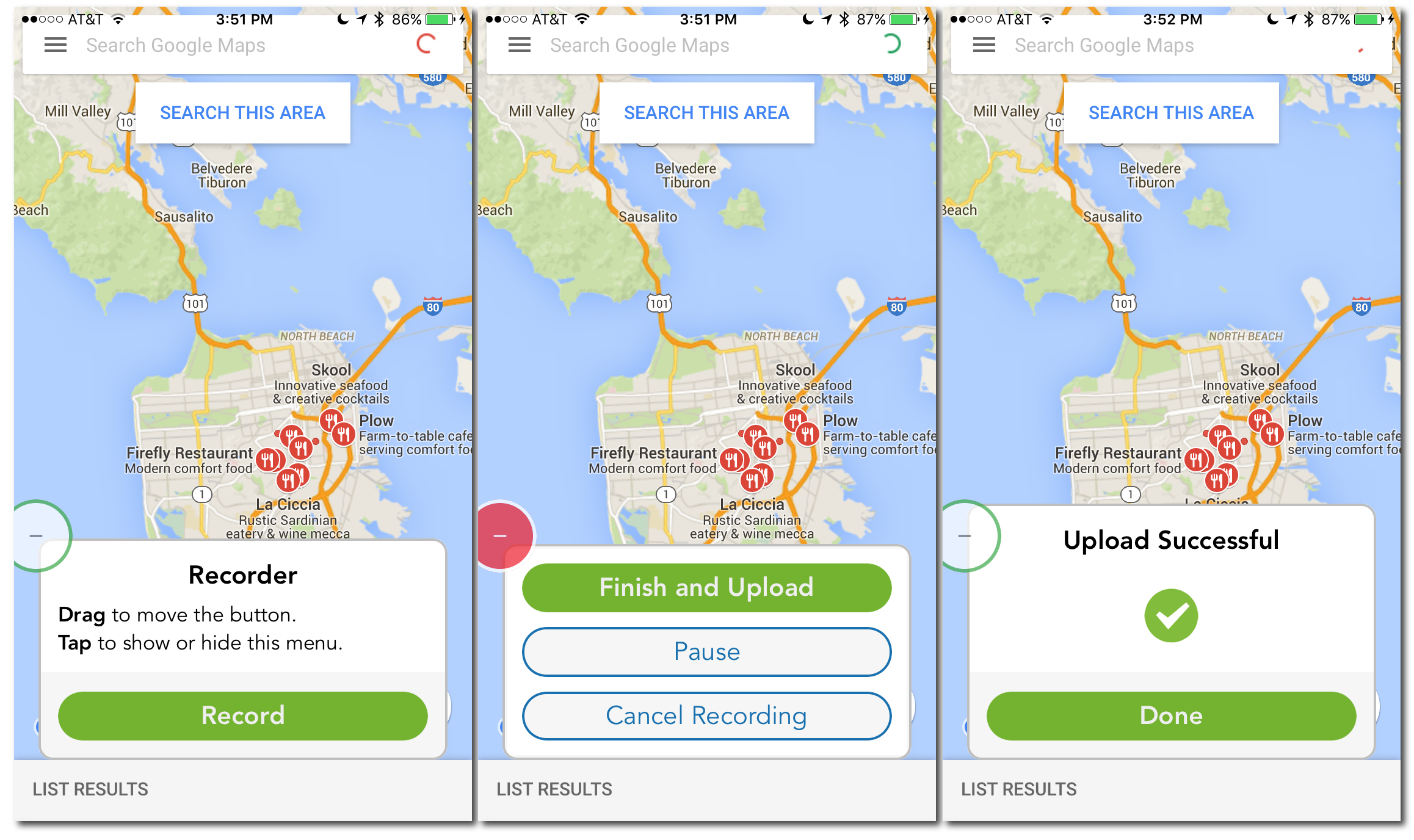
Just integrate the AppCapture SDK. Your users can then start and stop recording using an on-screen button. Once the user completes recording, an HD video of their experience will be available through your UserTesting dashboard. You can edit and download videos in the UserTesting video player, and share clips and highlight reels with anyone.
AppCapture is great for
- Recording in-lab tests Record and upload video sessions in just two steps: just activate AppCapture and hand the device to a tester. Everything they do and say will be recorded.
- Field testing Bring an AppCapture-enabled build of your app to a conference or other remote location and record videos of people using your app.
- Creating demos With AppCapture you can create a demo for your app just by using it. Simply record your voice and gestures with AppCapture and create a highlight reel on your UserTesting dashboard.
- Bug reproduction Quickly and easily creates videos of bugs without a lengthy written explanation.
It’s easy to get started
- Download the SDK: The lightweight SDK takes minutes to unpack and integrate.
- Integrate the SDK: A few easy steps and you are on your way.
- Distribute your app to users: Put your AppCapture-enabled iOS app on a test device or send to your TestFlight users.
Frequently asked questions
How is AppCapture different from the standard testing done by UserTesting?
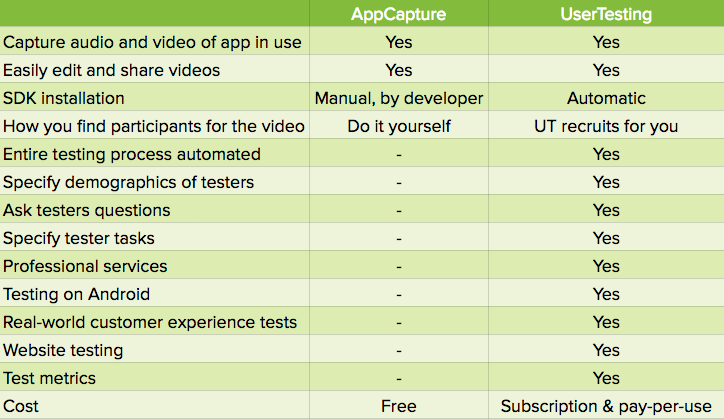
AppCapture is a screen recording utility; UserTesting is a complete solution for quick customer feedback.
UserTesting includes the ability to assign questions and tasks and automatically recruits participants from the UserTesting panel. You don’t have to install an SDK, and we automatically distribute the test app to testers. You can also record video from the backside camera with UserTesting.
AppCapture enables fast and easy screen recording.
What versions of iOS are supported?
AppCapture supports iOS 8 and above.
Does AppCapture require any code to activate?
Yes. Just two lines of code.
Will my app run in the simulator after integrating the SDK?
Yes, but you won’t be able to record. To record, you must run the app on an iOS device.
How does AppCapture compare to other screen recording products?
AppCapture videos are automatically sent to your UserTesting dashboard, which makes it easy to manage, edit, and share the videos.
Try AppCapture and start recording your user’s voices and gestures today—for free.