


Automatically recruit participants for moderated UX research

Finding the right high-quality UX research participants is arguably the most important part of any study.
It's also one of the most time-consuming and challenging parts of a study, because the time spent on user testing participant recruitment can create a bottleneck for continuous and scalable research. The amount of time spent manually finding the right participants, emailing back and forth to set up interviews, and coordinating incentive payments delays the research process and reduces your team’s ability to conduct other important research.
That’s why we’re thrilled to announce that we’ve released automated participant recruitment for moderated studies in the UserZoom platform.

With automated session scheduling, the ability to contact participants, and UserTesting handling incentives, every step of the recruitment process is more streamlined. This helps you uncover the actionable user insights you need when you need them while we do the recruiting work for you.
- Find the right participants. Easily recruit the right participants for your research by specifying your demographic criteria and adding custom screener questions.
- Get insights faster. Define your quota, and we’ll automatically send invites to find verified participants for your moderated sessions. With the Scheduler, set your availability preferences and let participants pick a time that works for them.
- Save money. Avoid hiring an expensive recruitment agency that can take weeks to fill your studies. With automated recruiting, you’ll schedule sessions with quality participants shortly after launching your study.
How does it work?
To use the new automated participant recruitment feature for your moderated study in the UserZoom platform, select "Let us find participants for you" on the recruitment page of the study builder. From here, you’ll add your study quota, set your target criteria, input your availability, then build and launch your study.
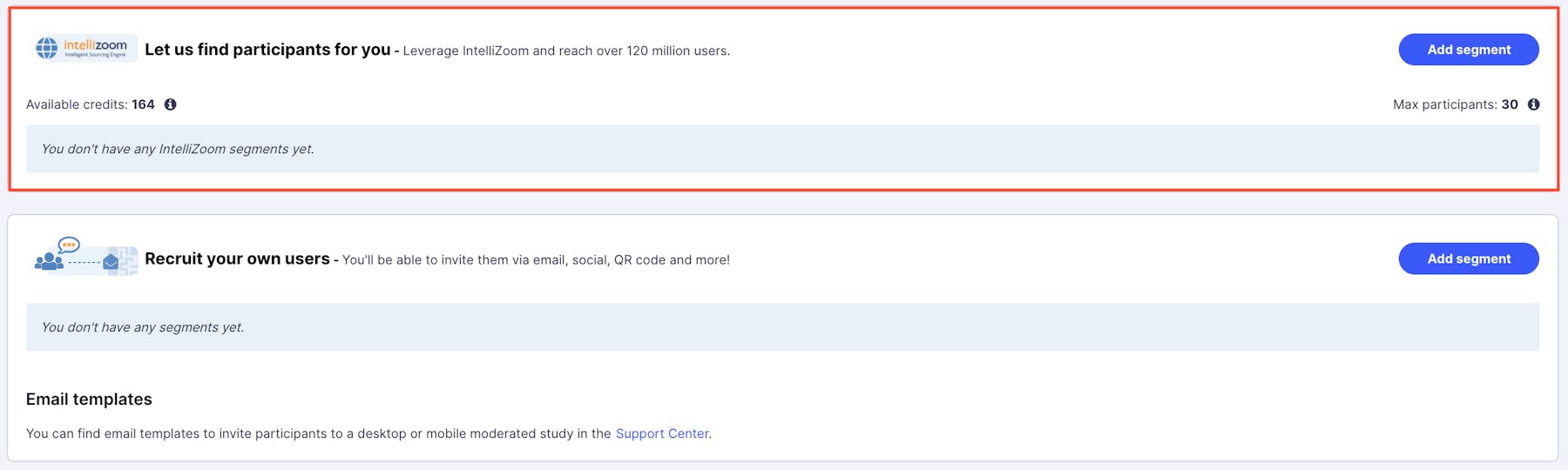
We’ll automatically send out invites to our verified, high-quality panelists, get qualified participants scheduled, send them a confirmation email with a link to your study, and automatically send reminders. When it’s time for a scheduled session, simply start your study at the allotted time—it’s that simple.
How long will automated recruiting take?
The time it takes to fill your studies will vary depending on your set-up, including your target profile, your quota requirements, and so on. In terms of adding availability into the Scheduler, a best practice is to add between two to four times your quota. This provides flexibility and options for participants, which will fill your quota on time.
On average, studies conducted during an early release of this feature were filled between a few hours and up to two days.
Who are the participants?
We recruit high-quality participants from our global network in the UK and the US who are certified to do moderated studies. Automated participant recruitment for additional countries will become available at a later time.
New feature: Contact your participants
If participants are more than three minutes late, you can call them directly from the session. Whether they lost track of time or are experiencing technical difficulties, you can make attempts to re-establish the session.
While it’s not possible to eliminate no-shows, this capability, along with automated email and SMS reminders, helps you to get ahead of it!
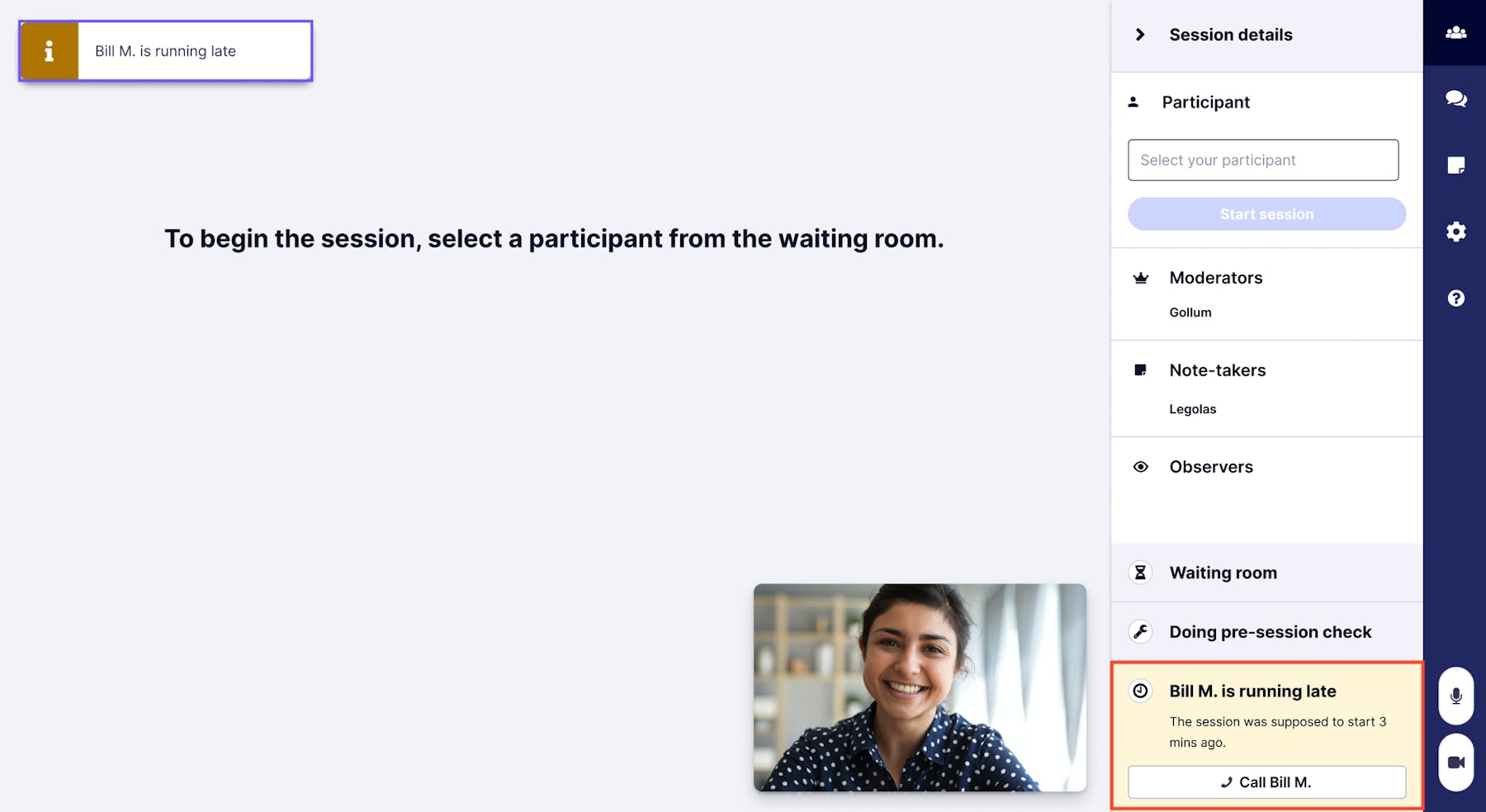
We understand there may be concerns over personally identifiable information, but this feature was built with security in mind:
- Participant phone numbers are never shared, maintaining the privacy of their information
- You and your team are not handling personal information
- All of our participants' phone numbers are encrypted securely, inline with market-leading standards for data protection
Other ways we help you avoid no-shows
UserTesting has a range of measures in place to ensure your participants arrive on time:
- We send a reminder email 24 hours before a session and an SMS reminder 30 minutes before your session is due to start
- We share an ICS. calendar file, including their session link, with every participant, once they confirm their time slot so they can add the session to their own calendar
- Each participant goes through a tech check before entering the session, to ensure their camera, microphone, and internet connection are set up correctly
On-Demand Webinar: How UXR Leaders Can Shape the Role of Research in the Age of AI
Explore how leading UX Research teams are evolving from a service model to becoming strategic insight leaders.