


12 UX tips for online sales and promotions

From the run-up to Black Friday, all the way through to the Christmas shopping season and beyond, many ecommerce sites and online retailers will be running sales and promotions of various kinds.
Promotions play an important role in attracting visitors to your site and tempting them to buy once they arrive. However, it’s important to ensure that sales are easy to navigate and that promotional offers are clear and easy to apply.
In this article, we’ll look at how retailers can ensure that promotions are communicated effectively, and are usable for visitors.
1) Displaying promotions on site
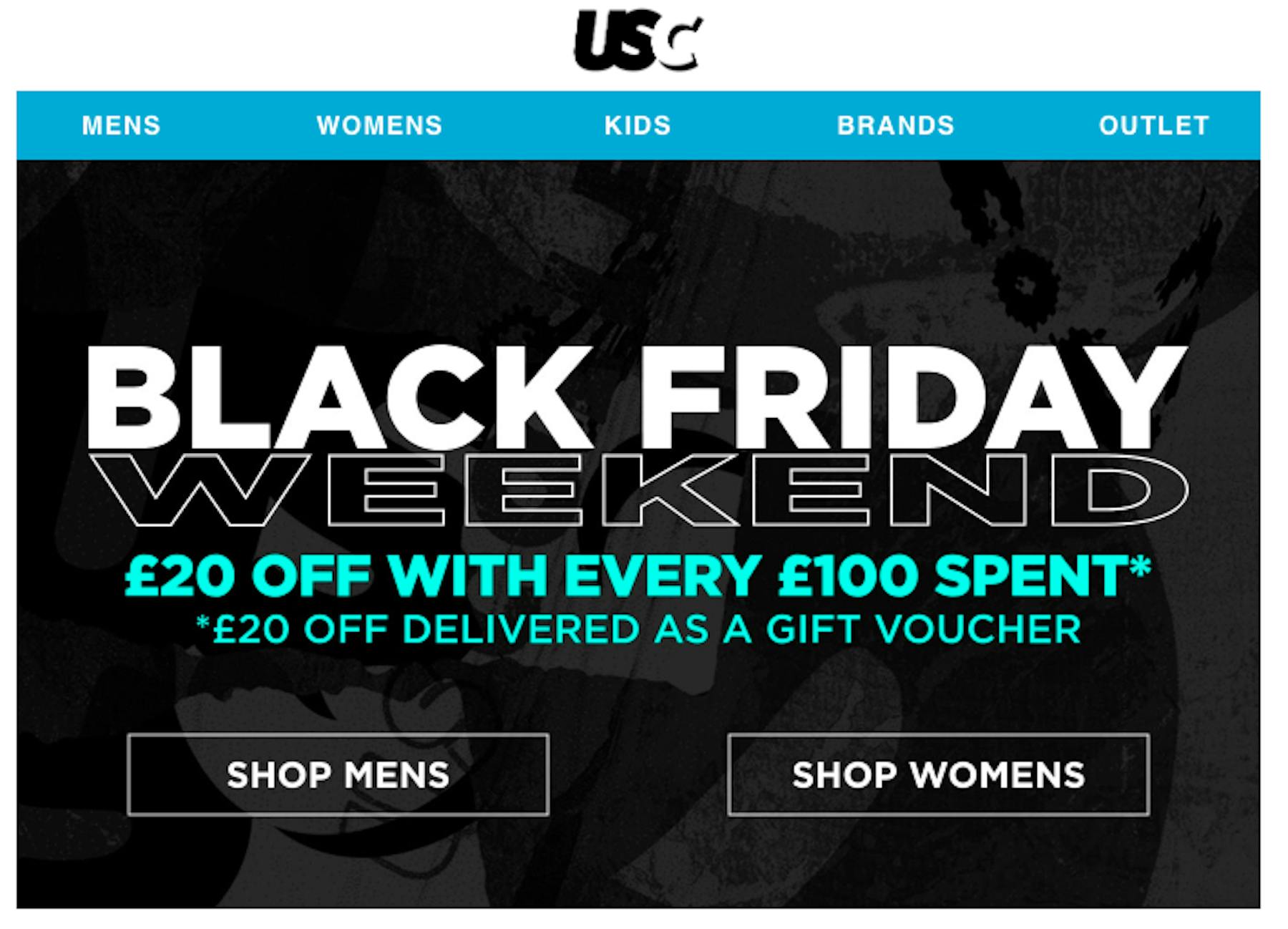
First of all, promotions should be easy to find. If promotions are the current focus of your holiday campaigns, then they should be obvious when users land of the homepage.
If you’re promoting them from paid search ads, emails and elsewhere, make sure users are sent to a page where they can view offers.
Even better, adding simple navigation options, such as sending visitors to the men’s or women’s section of the sale makes it easier for the user.
2) Consistently highlight major promotions throughout the site
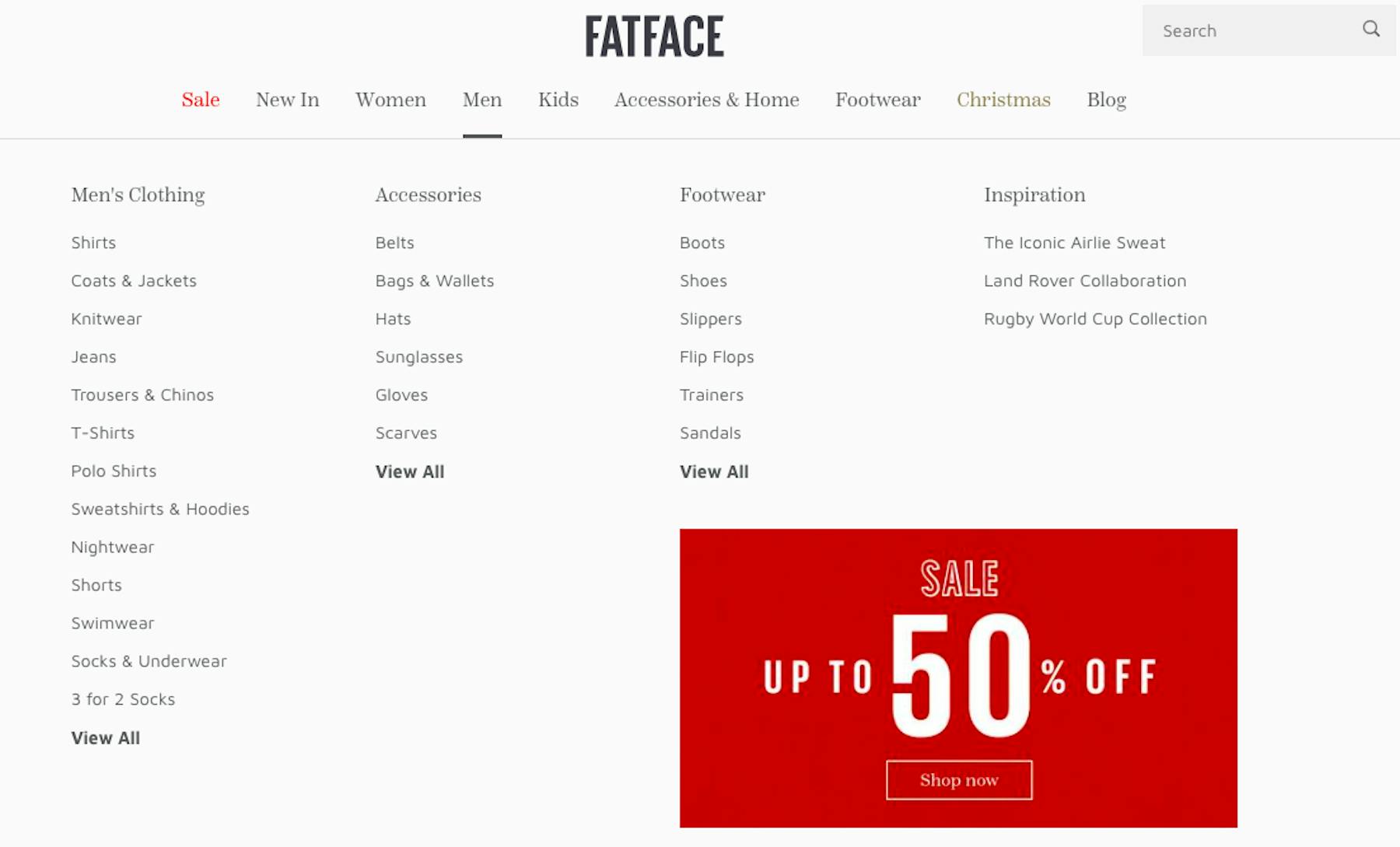
For major promotions, it pays to advertise them throughout the site so that shoppers see your offers, whatever the page they happen to land on.
Persistent reminders of discounts help users to find items that match their budget and encourage shoppers to buy. It also ensures that all users are aware of promotions.
Here, FatFace promotes its current sale, whichever section users land on or navigate to, even in drop down menus. It’s impossible to miss.
Site-wide promotions can shown in the ‘hero space’ on the homepage and category pages, something which is suitable for big sales events like Black Friday.
Offers can also be promoted via site header banners. This is great for things like a free delivery threshold or site-wide promo code offers. In the latter case, repeating these on basket and checkout pages where codes can be entered reduces effort for users.
3) Daily deals and rolling promotions
Some sites will just show all promotional items at once, so it’s a simple case of first come, first served for shoppers. This results in a lot of interest at the beginning of the sale, but then drops off.
However, if sites want to maintain customer interest over a longer period, or try to stagger the amount of traffic, then daily deals and rolling promotions give people a reason to keep returning.
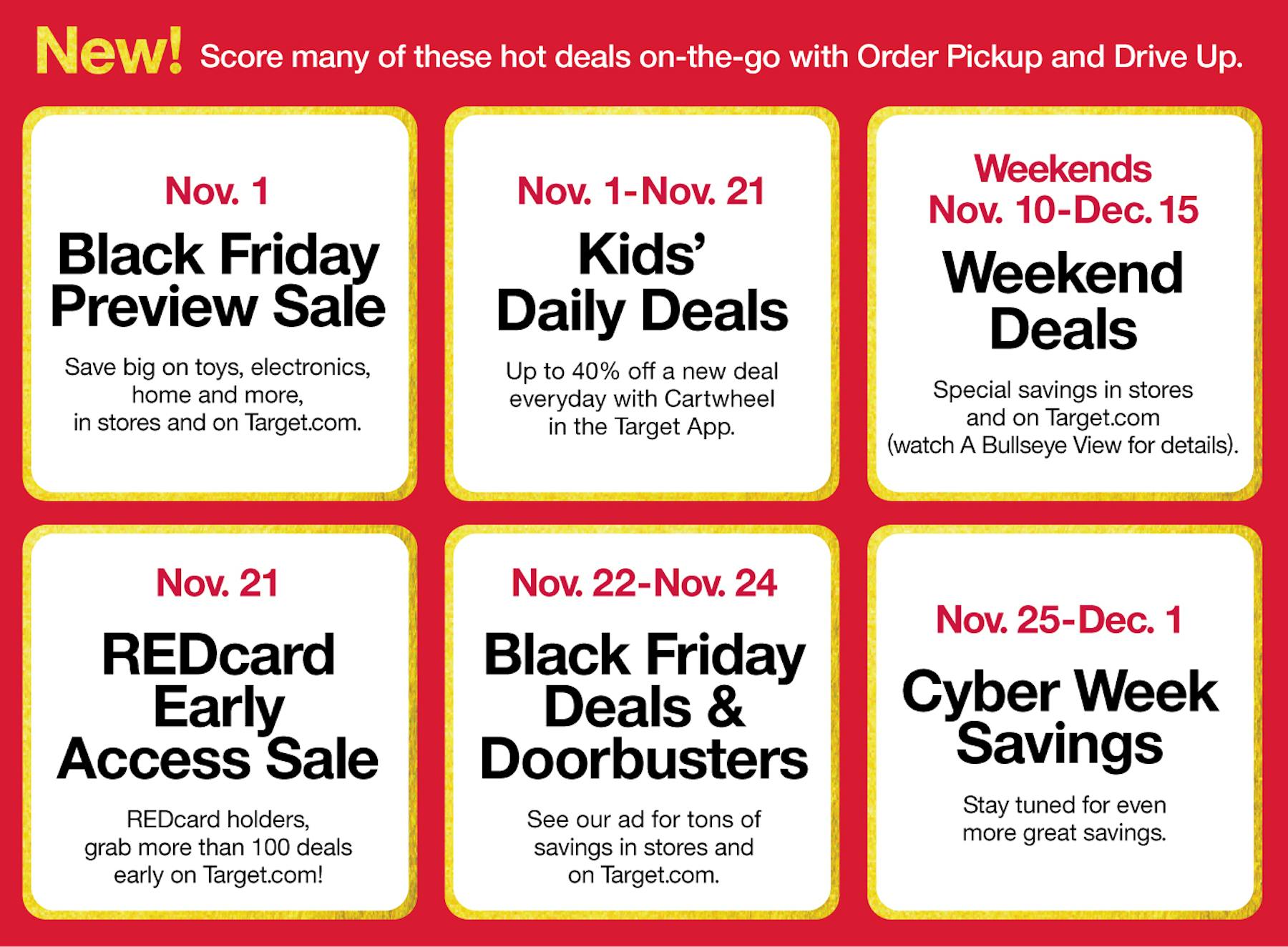
Daily deals are useful in high traffic periods like Black Friday, allowing retailers to tempt visitors to make multiple visits, while the time-limited nature of the sales encourages shoppers to buy before that day’s deals run out.
4) Add specific sales sections
Some visitors will just want to see products on sale and nothing else, so separate sales categories should allow them to view all offers, and navigate through this section.